

Timer.Coffee 3.8.0 — A new Brew Diary
by Anton from Timer.Coffee
Timer.Coffee 3.8.0 turns your brewing history into something you can actually use. The redesigned Brew Diary helps you revisit great cups, understand what changed between attempts, and follow each bean from first brew to dialed-in recipe.
TL;DR
- Brew Diary: search and filter your brews, bookmark standout cups, and explore monthly and weekly progress.
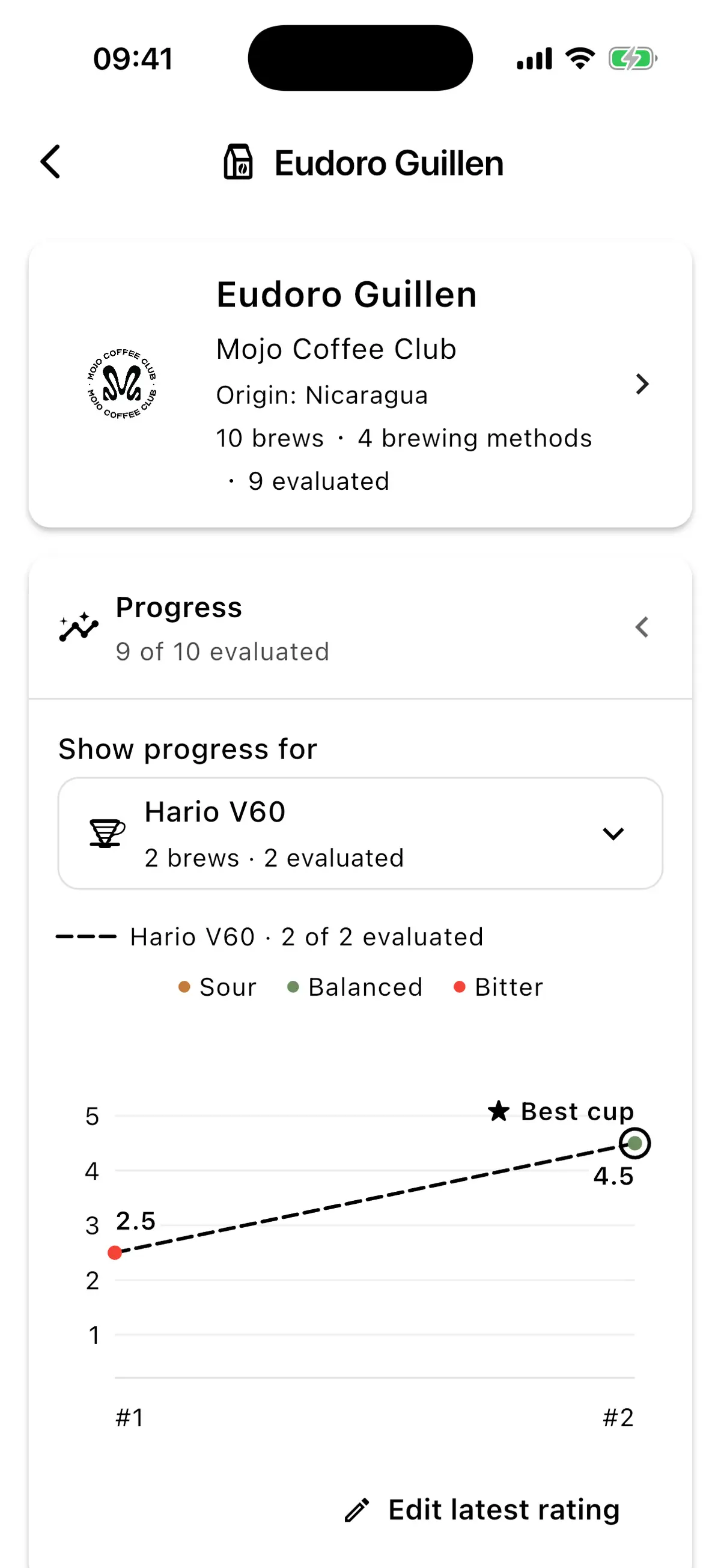
- Bean Journeys: see each bean’s complete history, progress chart, and best cup.
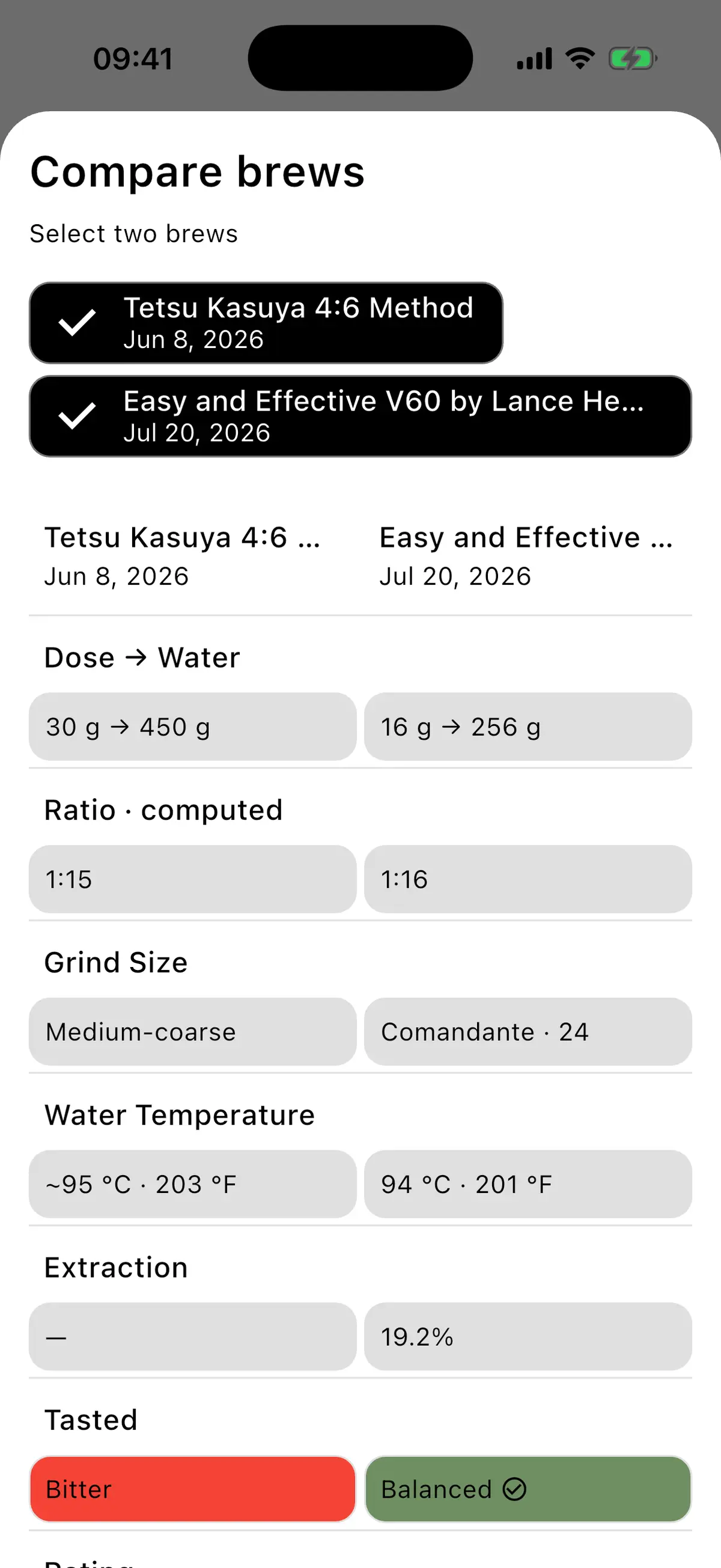
- Brew comparison: compare two attempts across ratio, grind, temperature, extraction, taste, and rating.
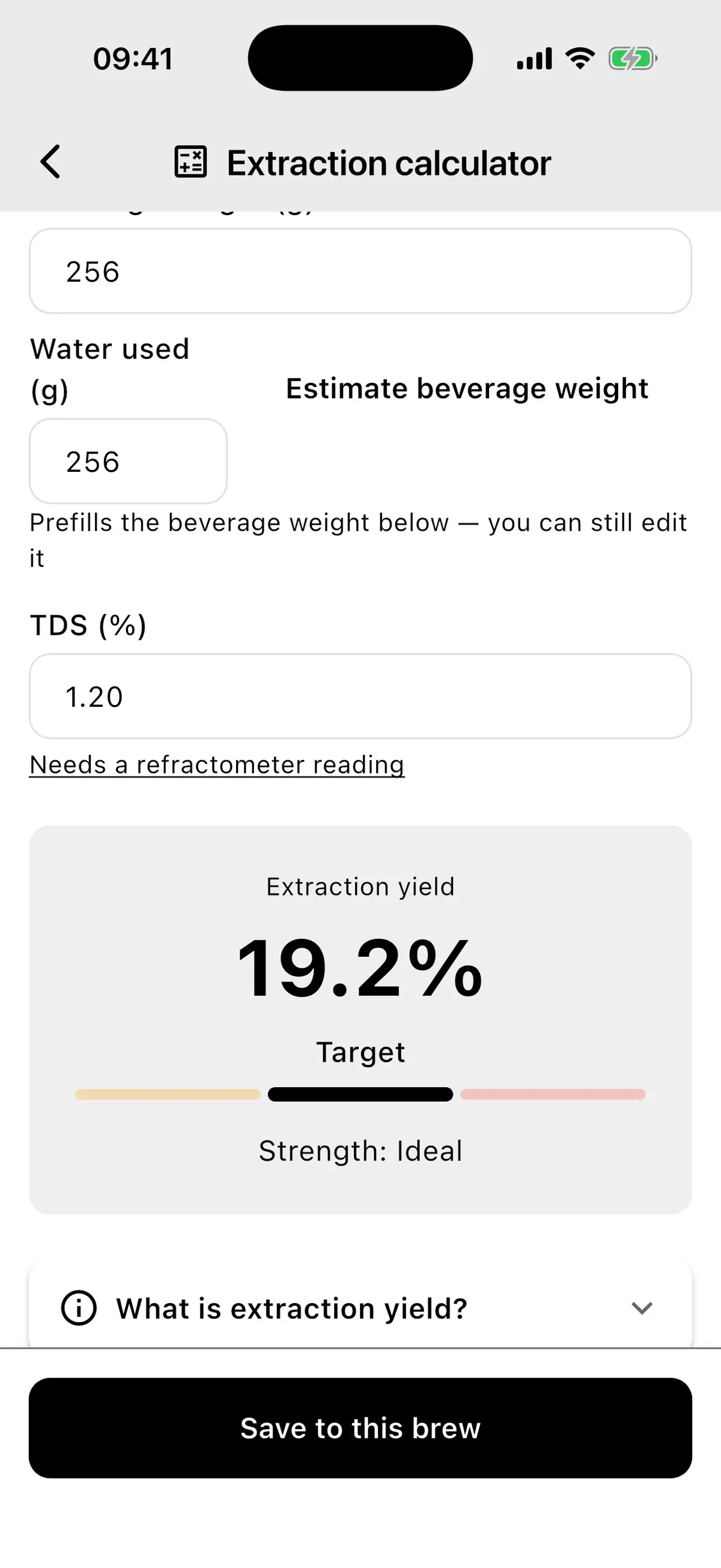
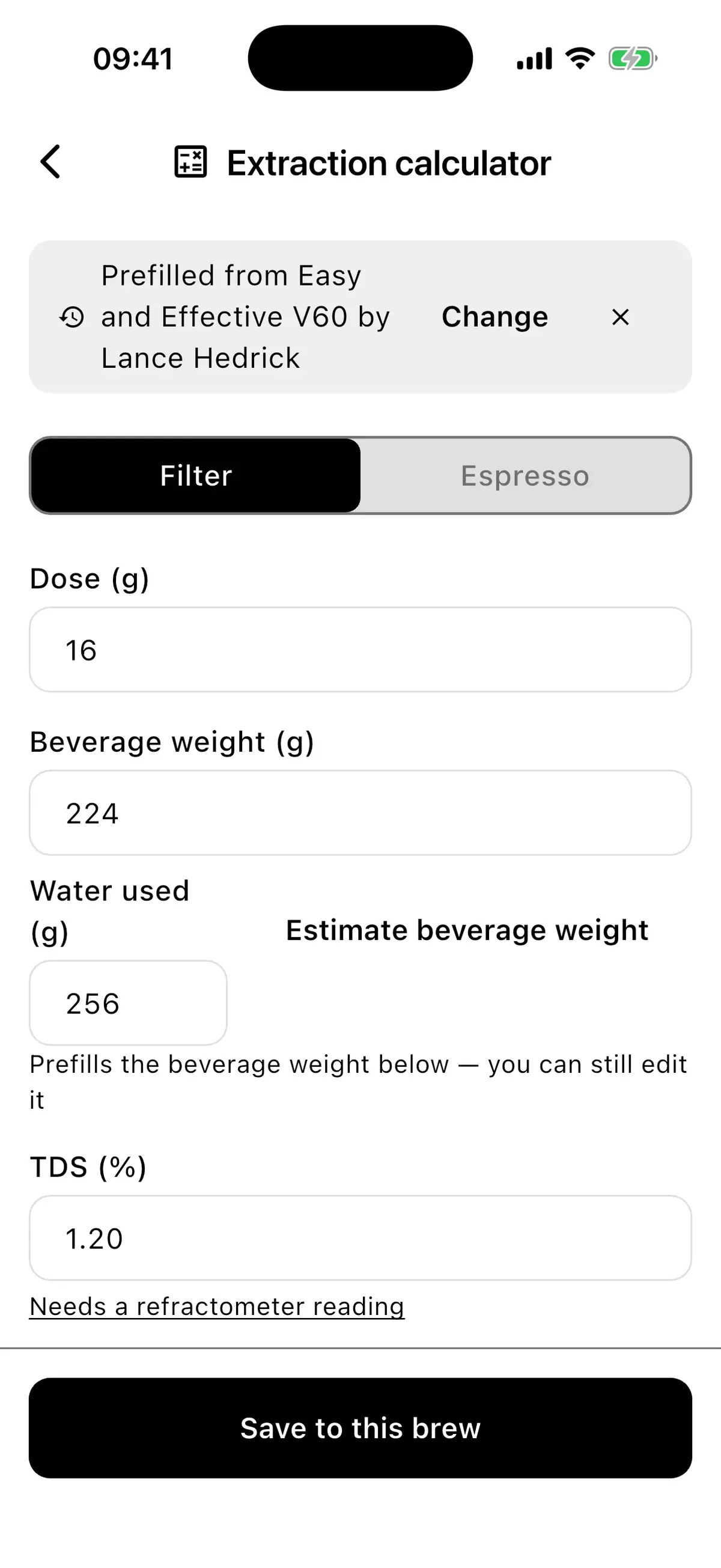
- Extraction calculator: calculate extraction yield for filter coffee or espresso and save the result directly to your brew.
A brewing history you can use
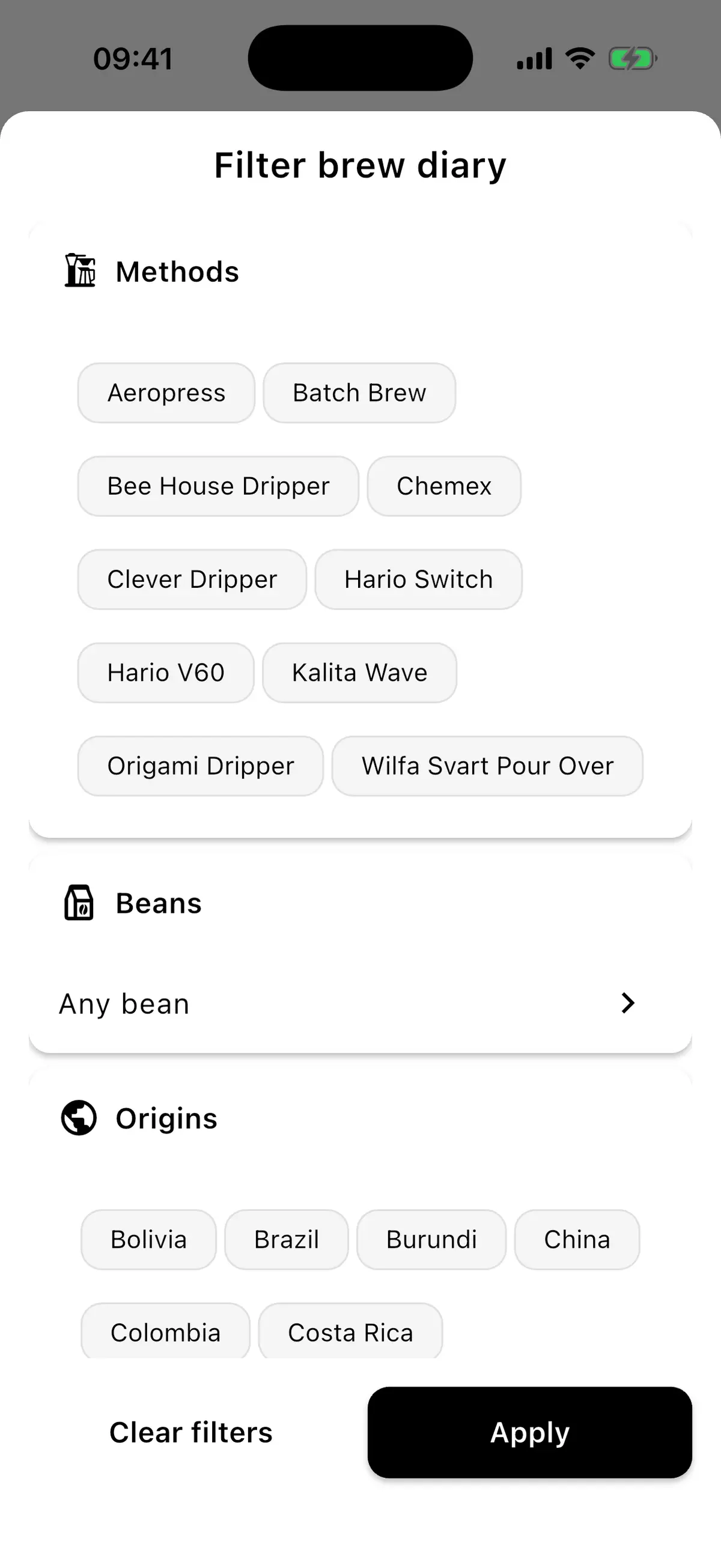
The new Timeline brings your useful brewing details together: dose, water, grind setting, temperature, extraction, taste, rating, tags, and notes. Search by recipe, bean, roaster, or notes, then narrow the results by method, bean, origin, tags, rating, bookmarks, notes, or extraction data.
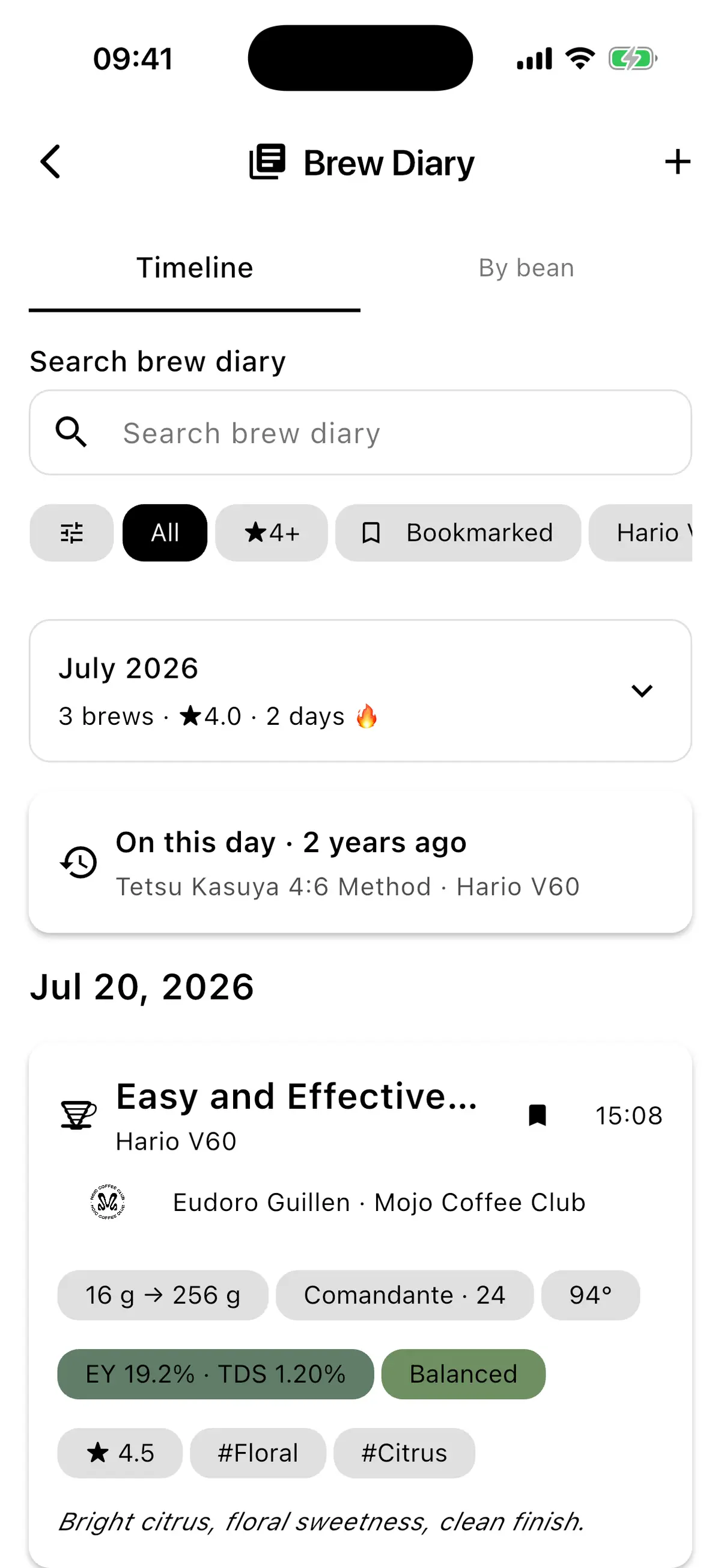
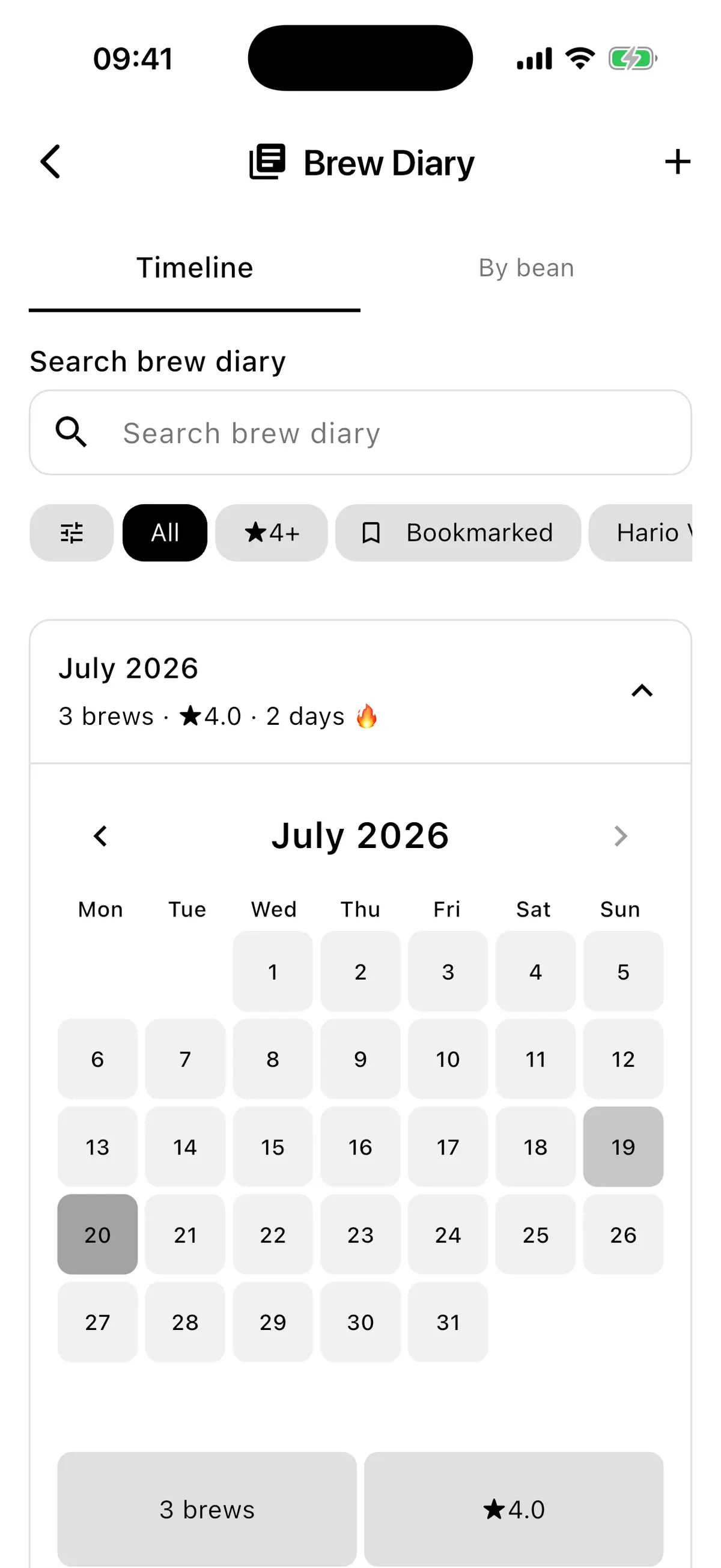
A monthly almanac shows your brew count, average rating, active days, and brewing streak, while weekly summaries and “On this day” memories make older brews easier to rediscover.
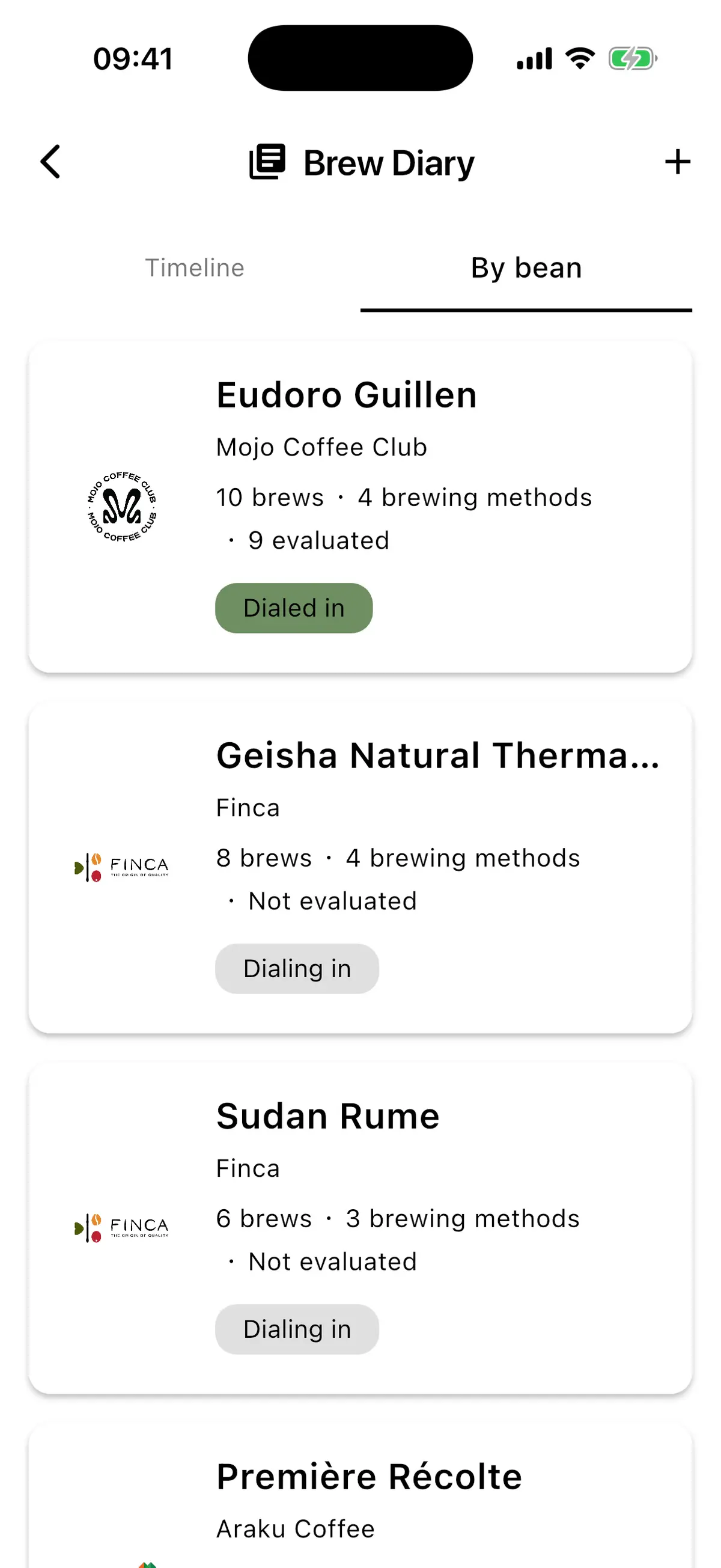
Follow every bean’s Journey
Switch to By bean to follow each coffee as a Journey. You can see progress for each brewing method, evaluate your latest attempt, spot the best cup, and compare brews without relying on memory. The comparison highlights exactly what changed and makes it easier to connect adjustments with a more balanced or better-rated result.
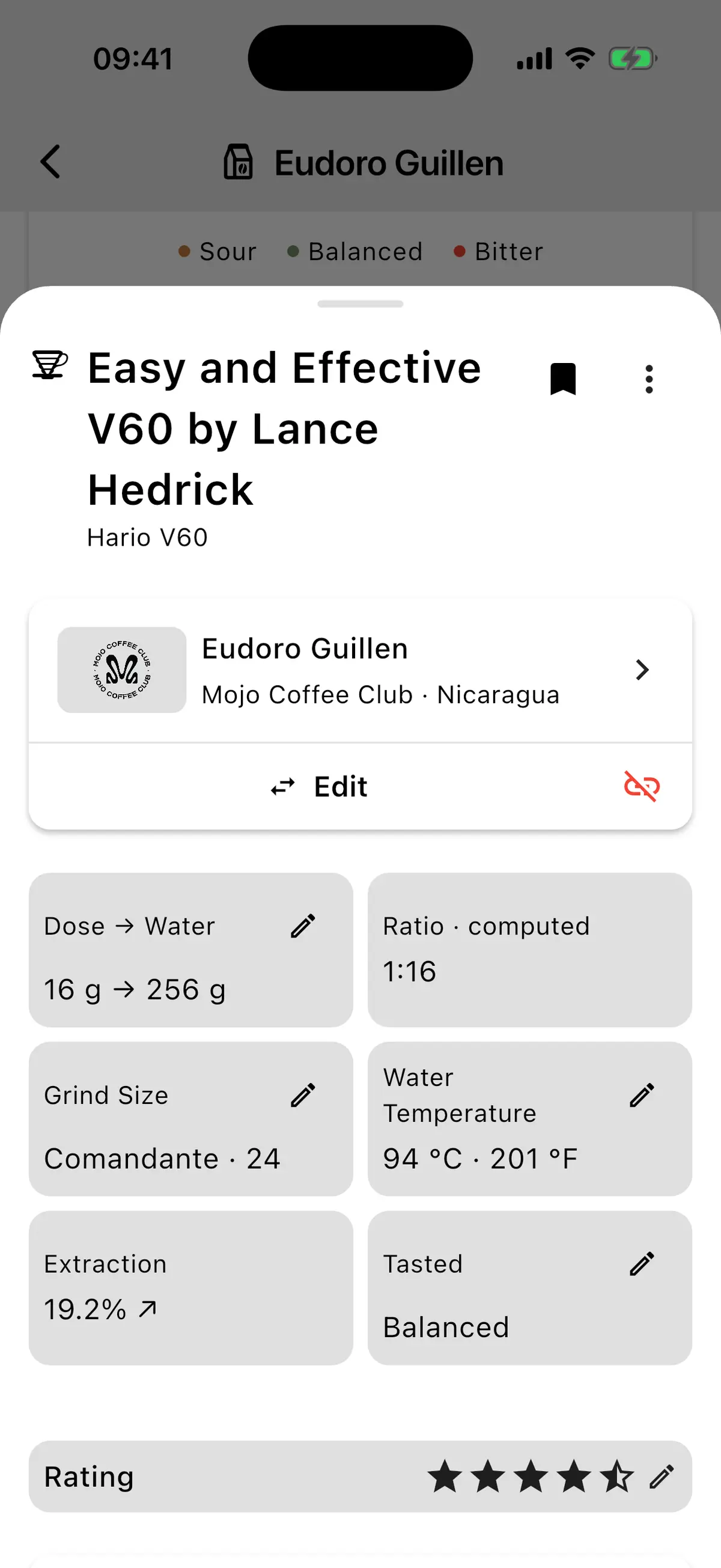
Individual diary entries are more useful too. You can update the linked bean, grind, temperature, taste, rating, notes, tags, and manual brew amounts. “Brew again” carries the previous setup into a new attempt, so a promising cup is easy to refine.
Measure extraction, then save it
The new extraction calculator supports filter coffee and espresso, can prefill values from your brewing history, estimates beverage weight when needed, and explains extraction yield, TDS, and strength. Attach it to a logged brew and save the result straight back to your diary.
Everyday improvements
This release also introduces timely bean-review prompts after you have brewed enough with a coffee, speeds up AI-assisted bag-label scanning, refines the interface, improves translations, and fixes recipes occasionally appearing more than once.
Update Timer.Coffee and take a fresh look at where your brewing has taken you.
If you have ideas, bugs to report, or recipes to share, GitHub issues and support@timer.coffee are always open.
If you enjoy Timer.Coffee, please consider donating — it is a big motivation boost and helps cover infrastructure costs. Wishing you a lot of great brews! ☕️